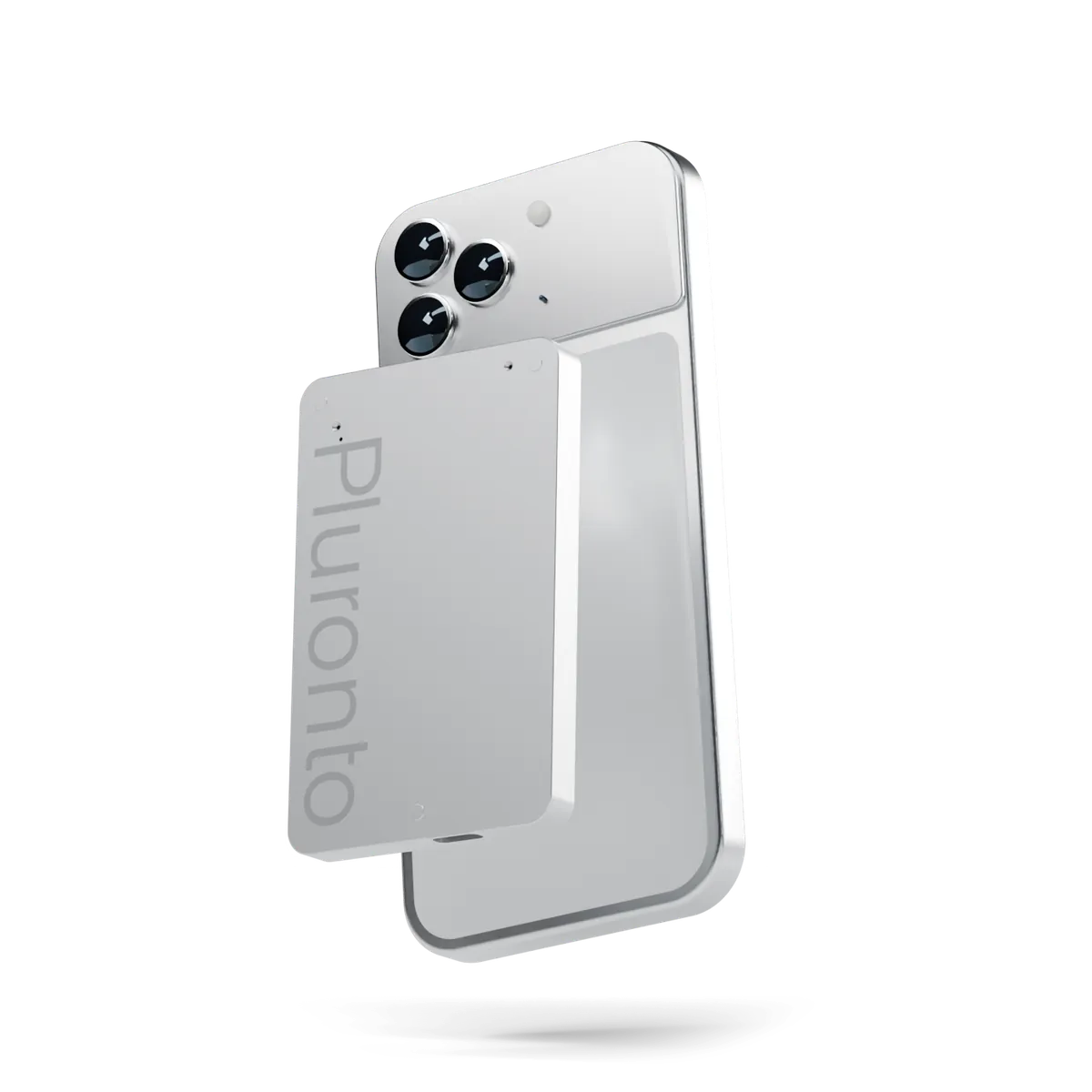
Your personal AI assistant
Here to keep more of you, for you.
Shown to scale on iPhone 18 Pro.
-
01
One key.
Hold to record. Press to stop.
-
02
On your phone.
Magnets inside hold it to your iPhone.
-
03
Straight to you.
No router, no cloud in between, no account.
-
04
Text, on your device.
Transcribed on your iPhone, iPad or Mac.
The value of life is in its moments.
At lectures. In meetings. And no more forgetting those table talks where you had so much fun.
Leave the chaos. It's nice to be at ease.
01 Why a device
One key beats five taps.
A phone app
- 1Find your phone
- 2Get past the lock screen
- 3Open the app
- 4Tap record
- 5Hope it keeps running
Pluronto
Hold the key.
It's already on your phone. The moment is still there.
02 How it works
Press once. The rest follows.
-
01
Record.
Hold the key to start. Press it again to stop.
-
02
Keep it on your phone.
Magnets inside hold it to iPhone 12 and later. Other phones use a thin steel ring.
-
03
It finds your phone.
When you stop, it hands the recording to the Pluronto app over Bluetooth or direct Wi-Fi.
-
04
Read it, or ask.
Transcribed on your iPhone, iPad or Mac, and answered there when you ask about it. Nothing leaves your devices.
03 Inside the app
From talk to clear notes.
Every recording becomes a transcript on your own device. Then ask anything about what was said, and the answer is written on your device too.
App design preview · In development
Weekly sync
- 00:12AnaSo the launch moves to March?
- 00:15JonasYes, once the first units pass testing.
- 00:21AnaThen we need the supplier quote by Friday.
- 00:26JonasI'll ask them today.
Summary
The launch moves to March, after the first units pass testing. The supplier quote is needed by Friday.
Action items
- Jonas asks the supplier for the quote
- Book the test day
What did we decide about the launch?
It moves to March, once the first units pass testing. 00:15
04 Lenses
One recording. Many outcomes.
A doctor's visit needs doses and dates. A lecture needs flashcards. Pick a lens, and the app turns each conversation into what that part of your life needs. Every line links back to the moment it was said.
Planned for the app · In development
What was said
Weekly meeting
- 00:12Let's move the launch to March.
- 00:31Jonas sends the supplier quote by Friday.
What you get
Work
Decisions and next steps
- Launch moves to March
- Jonas: supplier quote, by Friday
- A follow-up email, drafted for you to send
What was said
Lecture, 50 min
- 14:02Entropy always increases in a closed system.
- 14:40That's the second law, and it will be on the exam.
What you get
Study
Your study set
- Notes in five sections
- Twelve flashcards
- Exam hint flagged at 14:40
What was said
Doctor's visit
- 02:14Take the new one in the morning, 50 milligrams, with food.
- 05:02Let's see you again on the 18th.
What you get
Health
Your visit, in plain words
- New tablet: 50 mg every morning, with food
- Next appointment: the 18th
- Stays on your device
What was said
Coffee with Lea
- 08:10My daughter starts school next week.
- 09:45I'm moving to the Berlin office in spring.
What you get
People
Lea
- Her daughter starts school this month
- Moves to Berlin in spring
- A reminder before you meet again
What was said
Dinner with grandpa
- 21:05In 1974 we drove to Izmir in a borrowed car.
- 22:30It broke down twice before Bursa.
What you get
Family
The road to Izmir, 1974
- Saved to your family stories
- Names, places and the year tagged
- Later: a printed family book
What was said
Voice note, walking
- 00:04What if the café had a reading corner upstairs?
- 00:20Same idea as yesterday, but smaller.
What you get
Ideas
This week's ideas
- Grouped with three related notes
- Came up four times this week
- In your Sunday digest
05 Two modes
The room, or the call.
One small slider on the side decides what Pluronto listens to. It's set the moment you start.
-
ROOM
For the conversation around you.
Two microphones, two separate channels. For meetings, interviews and lectures.
-
CALL In testing
For calls everyone has agreed to record.
A contact sensor picks up the call through your phone's body, while one microphone records the room, your voice included. We haven't measured call pickup yet. The first prototypes will tell us.
06 Privacy
Recorded by you. Kept by you.
Your recordings travel one short route: from Pluronto to your own iPhone, iPad or Mac. Nothing goes anywhere else, apart from your own device backups if you use them. Even the AI that answers your questions runs on your device.
-
No account.
There's nothing to sign up for. You pair Pluronto by pressing its key twice.
-
Nothing leaves your devices.
Recordings go straight from Pluronto to your iPhone, iPad or Mac, and we never upload them. Transcripts and AI answers are made right there.
-
Transcribed where you are.
Speech becomes text on your iPhone, iPad or Mac, not on a server.
-
Paired, not public.
The Bluetooth link is encrypted and bonded. A new device can pair only during a three-minute window you open yourself.
07 Engineering
Simple outside. Serious inside.
One machined aluminium body, two microphones, a 64 GB card and a radio that wakes only to hand over your recordings.
-
7.1 mm
One aluminium body, front and back.
-
64 GB
More than 2,000 hours of audio on board.1
-
72 h
Recording on one charge. Target
-
0
Servers between Pluronto and your phone.
08Questions
Good questions.
Can I buy Pluronto?
Not yet. Pluronto is a prototype. The case and the circuit boards are designed and the firmware is written; the first units are being assembled now. The waitlist opens soon.
What does the assistant do?
It starts recording when you hold the key, keeps your conversations and turns them into text on your iPhone, iPad or Mac. Ask about them, and it answers right there with Apple Intelligence, linking to the moments it draws on so you can check. Nothing leaves your device. It doesn't act for you: it never sends a message, books anything or calls anyone. The app is still in development.
Is Pluronto always listening?
No. Pluronto listens only while you record: hold the key to start, press it again to stop. There's no wake word and no listening in the background, and its radio stays off while it records.
Which phones does it work with?
Small magnets in Pluronto's back let it attach to iPhone models with built-in magnets, from iPhone 12 onwards, and to cases with a magnet ring. A few models don't have those magnets, such as iPhone SE and iPhone 16e. For them and for other phones, we plan to include a thin steel ring that you stick on the phone. To get recordings off Pluronto, you'll need the Pluronto app on an iPhone, iPad or Mac.
Where are my recordings kept?
On Pluronto's 64 GB card until your iPhone, iPad or Mac holds a verified copy, then in the Pluronto app on that device. Pluronto clears synced recordings only when it needs the space, oldest first, or when you delete them.
How long does the battery last?
Our target is 72 hours of recording on one charge. That number is calculated from the design, not measured. We'll publish real figures once the first prototypes have run.
Waitlist
The waitlist opens soon.
We're building the first prototypes now. When sign-ups open, you'll find them here. Until then, we collect nothing.